Getting help
Where to look first, how to open a support ticket with Winghub, the ticket categories, and how replies reach you.
There are several ways to get an answer. Pick the one that fits the question.
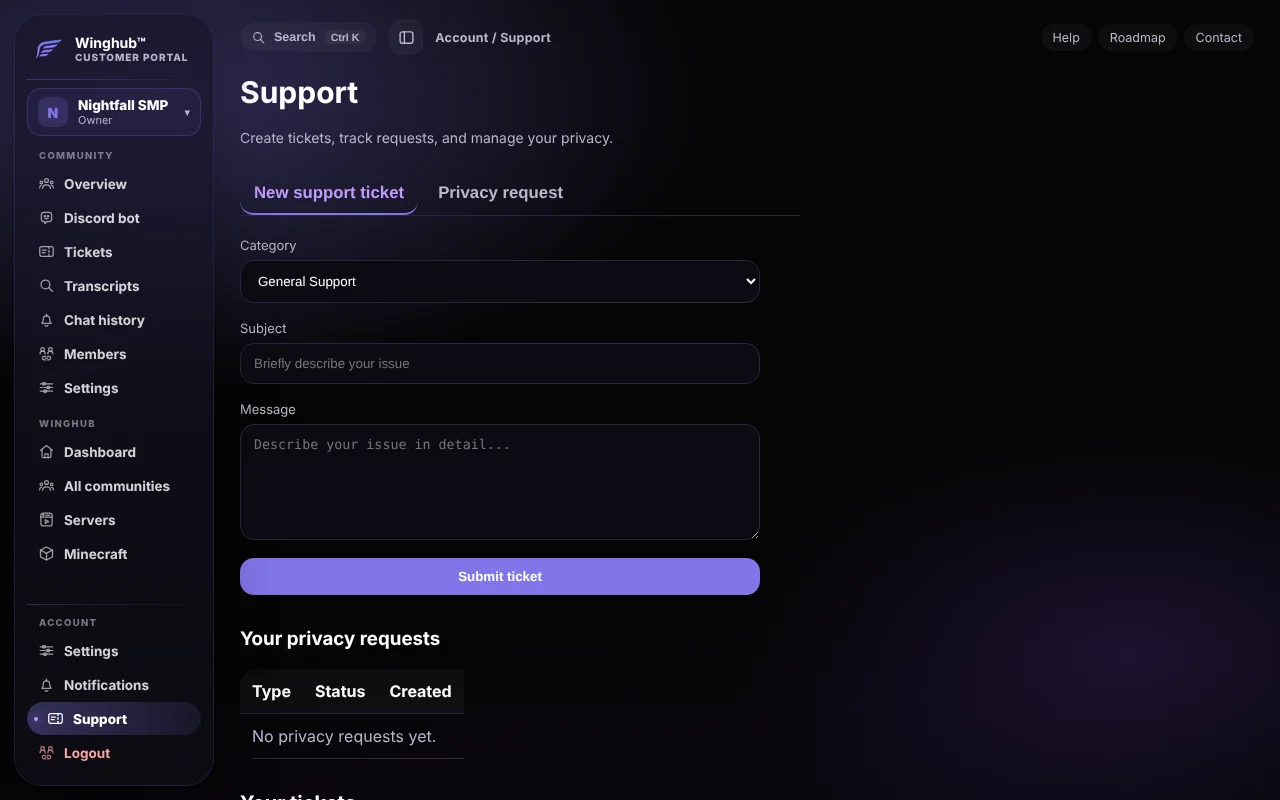
Support tickets with Winghub. Recorded from the Portal with sample data.
| Use | When |
|---|---|
| Documentation | "How does X work?" You are reading it. |
| Wynn (the assistant) | A quick question in plain words, from any page, or a setting you want changed. See Wynn, the AI assistant. |
| FAQ and Forum (help.winghub.net) | Short answers, and "has anyone else done X?" |
| Status page (winghub.net/status) | "Is Winghub down, or is it just me?" |
| Support ticket | Anything about your account, license, communities or servers. |
A support ticket is a conversation with Winghub. It is not the same as a Discord ticket, which your own members open in your server. For those, see the Tickets module in the Discord docs.
Open a support ticket
- In the Portal open Support (under Account).
- On the New support ticket tab choose a Category, write a Subject and your Message.
- Choose Submit ticket. The ticket page opens, with its reference (it starts with
WH-).
Sometimes a Security check appears before you can submit. Complete it once and submit.
Categories
| Category | Use it for |
|---|---|
| General Support | Anything that does not fit elsewhere. |
| Technical Issue | Something is broken or not behaving as documented. |
| Account Help | Signing in, email, your account. |
| Package/Billing Question | Packages, licenses and server slots. |
| Privacy Request | Questions about your personal data. |
| Data Deletion Request | Asking for data to be deleted. |
| Abuse Report | Reporting abuse of Winghub. |
Privacy, data deletion and abuse tickets go straight to the people who handle those. For a formal data request you can also use the Privacy request tab; see Your data and your privacy.
What to include
Because you are signed in, Winghub already knows who you are and which license you hold. Add:
- what you expected to happen;
- what actually happened, and any error message or reference code you saw;
- which community, Discord server or Minecraft server it is about;
- what you already tried.
Nobody at Winghub will ever ask you for your password or a login code.
Follow your ticket
Support lists Your tickets with reference, subject, category, status and priority. Open one to read the whole conversation: your messages say You, replies say Winghub Support.
  you submit  -->  open
                    |
  Winghub replies --> pending      (waiting for you)
                    |
  you reply   -->  still pending, or back to open if it was resolved
                    |
  Winghub closes --> resolved / closed
How replies reach you
- Every reply from Winghub appears on the ticket page and as a notification in Notifications.
- It is also emailed to you, if Support tickets is set to Email on and your email is verified. See Notifications.
- All emails about one ticket carry the same thread information, so most mail apps show them as one conversation.
To reply, use the ticket page in the Portal: write in Reply and choose Send reply. Replying on a resolved ticket opens it again.
How long tickets are kept
Closed and resolved support tickets, with their messages, are deleted two years after they were closed.
Contact without an account
If you cannot sign in at all, use the Contact page on winghub.net.
Last updated: 10/25/2026, 11:15:28 AM