Dashboard
What the Portal home page shows - setup progress, quick actions, counts, Minecraft servers, communities, recent support and your license.
The Dashboard is the Portal's home page. Open it with Dashboard in the sidebar (under Winghub) or by clicking the Winghub logo.
What is on it, top to bottom
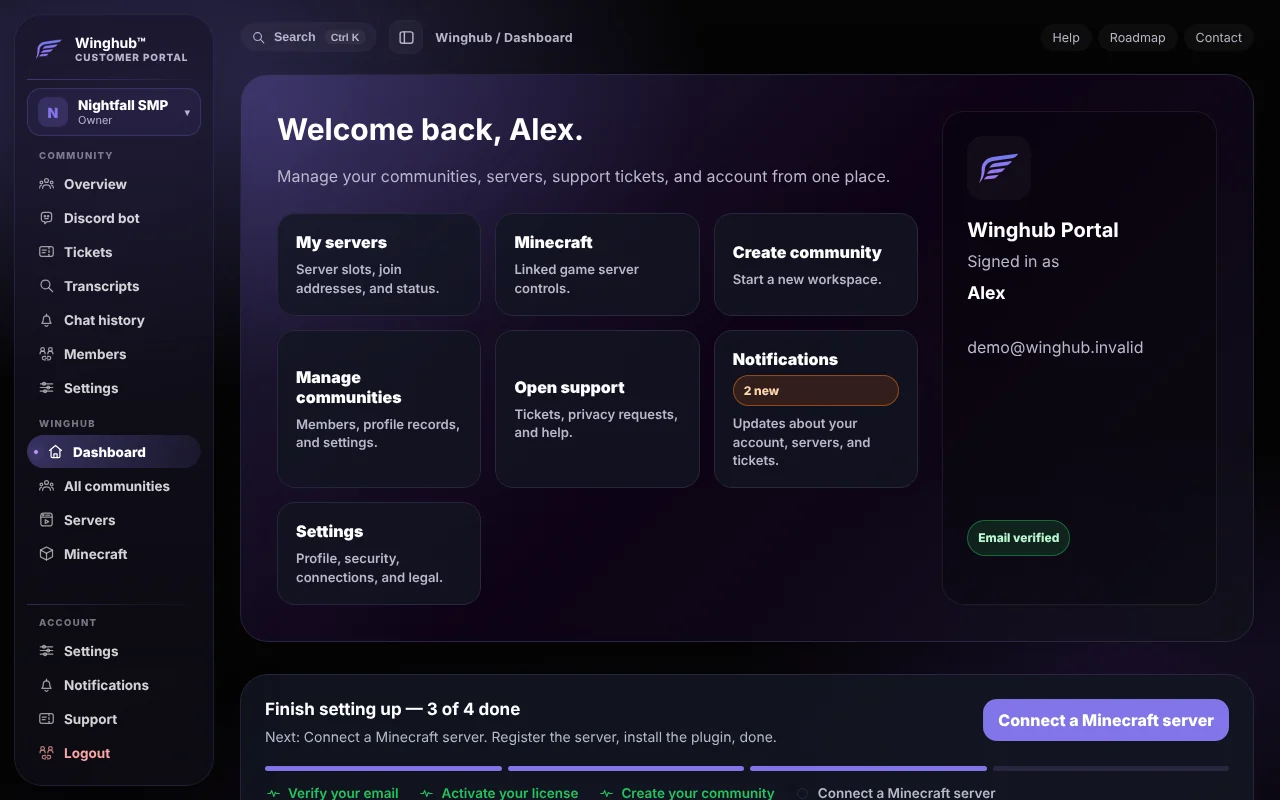
The dashboard. Recorded from the Portal with sample data.
Welcome and quick actions
Shortcuts to the pages you use most: My servers, Minecraft, Create community, Manage communities, Open support, Notifications (with a count of new ones) and Settings.
On the right you see which account you are signed in with and whether your email is verified.
Finish setting up
Until you have done all four, a card shows your progress and the next step:
| Step | Done when |
|---|---|
| Verify your email | You opened the verification link. |
| Activate your license | Your account holds a license. |
| Create your community | You own or belong to at least one community. |
| Connect a Minecraft server | A Minecraft server is linked to your account. |
The card disappears when all four are done. If your package has no Minecraft (Starter), the last step stays open; you can ignore it.
The four counters
Licenses, Communities, Minecraft servers and Open support. Each one is a link to its page. Open support is highlighted when you have a ticket waiting.
The lists
| Section | Shows |
|---|---|
| Minecraft servers | Up to 3 linked servers with status, CPU, memory, players and their join addresses. Open Minecraft servers for the rest and the controls. |
| Your communities | Each community with its type, slug, your role and status. |
| Recent support | Your 5 most recent support tickets, with reference, category and status. |
| Your license | Each license: key hint, package, status and expiry. A license is bound to your account and covers all your communities. |
| Public discovery | A link to the public community directory on winghub.net. |
Common questions
The Minecraft section is empty. Register a server and install the Winghub plugin: choose Set up a server, or see Connect a server.
"No license on your account yet." See Packages and licenses for how a license reaches your account.
I only want to work on one community. Use the community switcher at the top of the sidebar; the Community group then links straight to that community's pages.
Last updated: 10/18/2026, 11:08:19 PM