Notifications
Where your Winghub updates appear, how to mark them read, and which categories also reach your email.
Winghub tells you about changes to your account, licenses, servers, support tickets and communities. Every update lands on the Notifications page; you choose which ones also arrive by email.
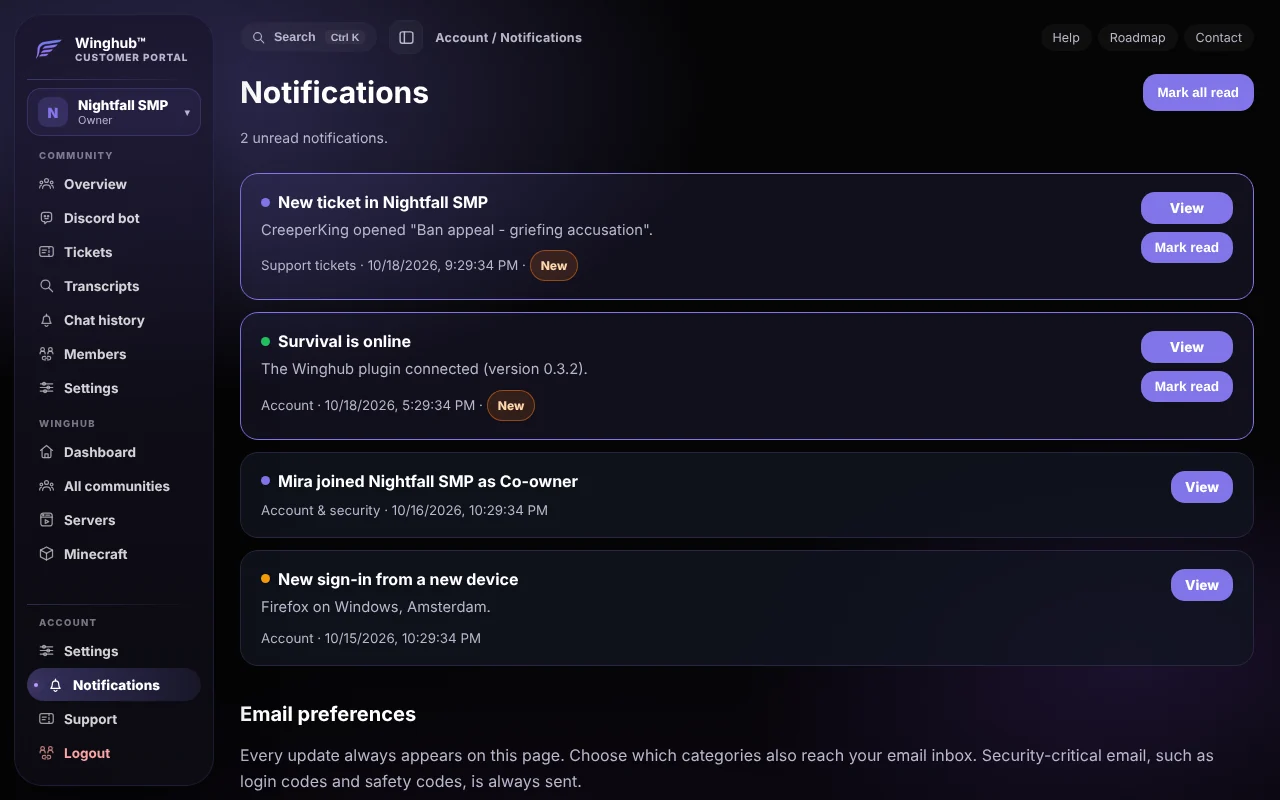
Notifications. Recorded from the Portal with sample data.
The Notifications page
Open Notifications under Account in the sidebar. The Dashboard shows how many are new.
- Each notification has a coloured dot for its severity (information, success, warning or critical), a title, the text, its category and the time.
- New ones are highlighted and marked New.
- View opens the page the notification is about, for example the support ticket.
- Mark read marks one as read; Mark all read at the top marks them all.
The page shows your 50 most recent notifications.
Email preferences
Under Email preferences you choose, per category, whether it also reaches your inbox. The button shows Email on or Email off; click it to switch.
| Category | What it covers | Default |
|---|---|---|
| Account & security | Password, 2FA, privacy requests and account changes. | Email on |
| Licenses & billing | License changes, server slot requests and future billing. | Email on |
| Servers & proxy | Game server links, join addresses and server status. | Email on |
| Support tickets | Replies and status changes on your support tickets. | Email on |
| Communities | Membership and community workspace changes. | Email on |
| News & programs | Winghub announcements and programs such as Founder Beta. | Email on |
  something happens
        |
        +--> always: a notification on this page
        |
        +--> email too?  category "Email on"  AND  your email is verified
Two rules to know:
- Security-critical email is always sent, whatever you choose here. Login codes, safety codes and similar mail never wait on a preference.
- Preference email needs a verified address. Until you confirm your email, only security-critical mail is sent. See Create your account.
Every notification email ends with a link back to the Portal and a reminder that you can change these preferences.
How long notifications are kept
Read notifications are removed after 90 days, unread ones after 180 days.
Troubleshooting
| Problem | What to do |
|---|---|
| I get no emails at all | Verify your email address (Settings > Profile), then check the category is Email on. Check your spam folder. |
| Too many emails | Switch the noisy category to Email off. It still appears on this page. |
| Emails about one ticket are scattered | Winghub sends threading headers so your mail app can group them, but each mail app decides how to show conversations. |
Last updated: 10/18/2026, 11:08:19 PM