Ticket transcripts
How a closed ticket's conversation is kept, drawn like Discord, searched in the Portal, and who may read it.
New layout (closed beta): abilities, the Discord bot and tickets have new places there. See Abilities, the Discord bot and tickets in the new layout for where each page went.
When a ticket closes, its whole conversation is kept in Winghub, long after the Discord channel is gone.
What is kept
When Close ticket is pressed (or the ticket closes on its own), the bot reads the ticket from the first message to the last, up to 500 messages, and stores two versions:
  the page   drawn the way Discord draws it: names, avatars, role and
             channel names, the server's own emoji, embeds with their
             fields and pictures, GIFs that move, stickers, files,
             replies, reactions, buttons (greyed), dates
  the text   plain text, one line per message: time, who, what
             (names instead of <@123...>, :emoji: names, what an embed said)
Both start with the form answers and the close reason, so the record says what the ticket was about. The page is always kept; Also post the page as a file in the transcript channel only decides whether it is also posted to Discord.
The transcript is saved before the channel is deleted or archived. If Discord did not answer while the bot was reading, nothing is deleted and the ticket says the transcript could not be saved.
Switching Save the transcript to Winghub off keeps nothing. That is your choice to make; most servers keep it on.
Where to read them
  Portal sidebar
    Tickets        the queue, the numbers, History with "Read"
    Transcripts    every closed ticket with a transcript, searchable
  Community page   Tickets & transcripts panel (latest 5, "All transcripts")
  Tickets page     "Transcripts (n)" button at the top
The Transcripts page
In the new layout (closed beta) this is Tickets > Closed: the same list, searchable by number, member, staff or reason, with the staff numbers beside it. The old Transcripts address opens it.
- One row per closed ticket: number, member, category, who handled it, the close reason, message count, date.
- Search as you type: ticket number (
12or#0012), member, staff, category, or a word of the close reason. Several words must all match. - A server picker when you have more than one Discord server.
- Open a .wh file, to open an exported ticket (see Exporting a ticket as a .wh file).
- A count of closed tickets without a transcript (closed before transcripts were on, or with no messages).
One ticket's page
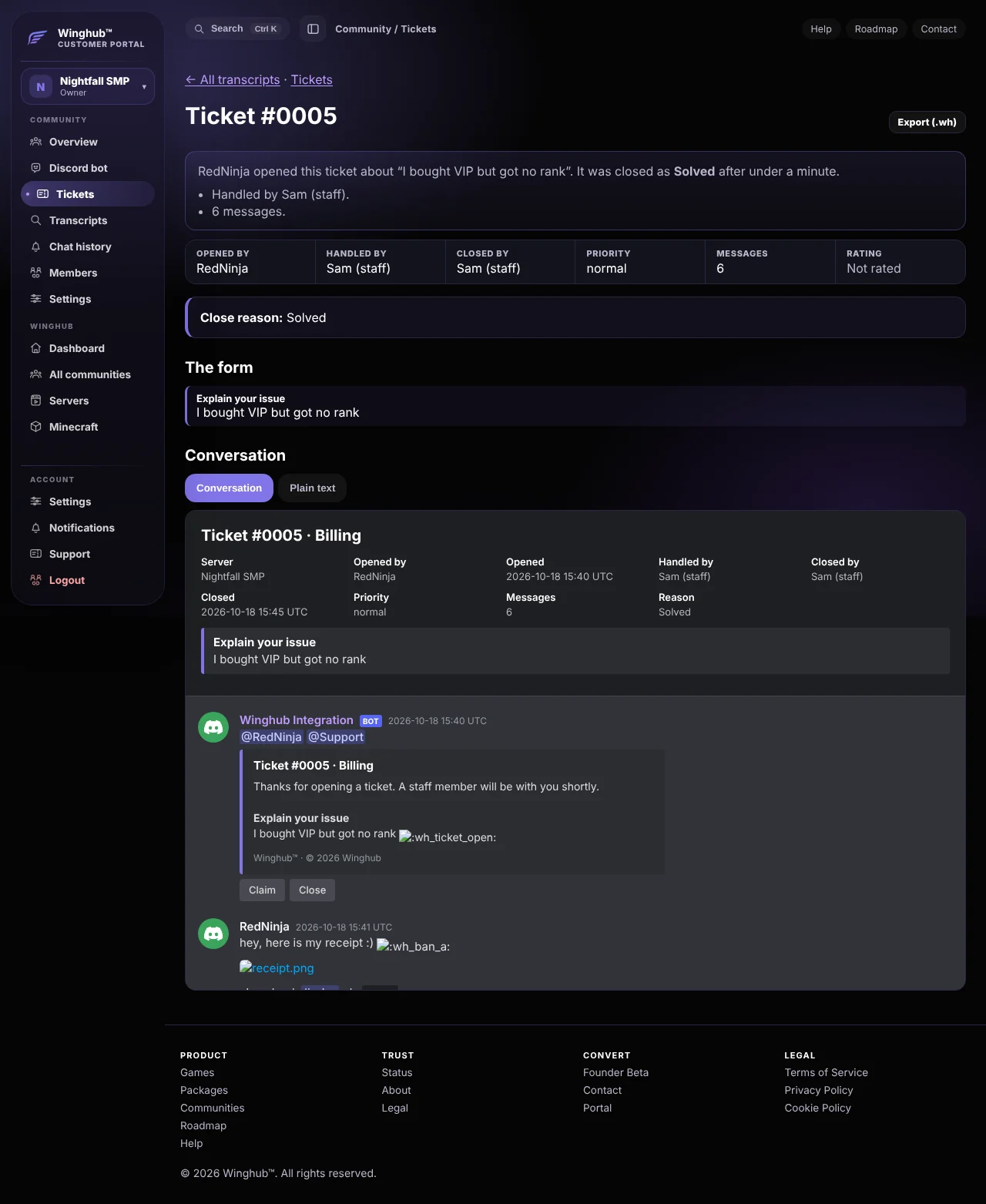
One ticket's page with its transcript. Recorded from the Portal with sample data.
- Summary: see Ticket summaries.
- Conversation tab: the page, in a sealed frame that can run nothing and reach nothing. What a member wrote is escaped first and only
https://links are written. - Plain text tab: the text version, for copying or searching with your browser.
- Export (.wh): a sealed file of this ticket.
Who can read transcripts
Transcripts hold other people's conversations, so access is checked on every request.
| Who | Can read |
|---|---|
| The Winghub account the Discord server is connected to | yes |
| Community members with the role Moderator or higher (Moderator, Admin, Manager, Co-owner, Account holder) | yes |
| Viewers of the community | no |
| Anyone else | no ("Ticket not found") |
Winghub support staff can also read them, for support, legal or rights reasons.
Tickets 2.0 (beta): staff need their Discord account linked to read transcripts (the community owner does not). A locked category's transcripts are only for its roles and the ticket's own people, in the Portal and in the .wh export, and they are never posted in the shared transcript channel. The people of a ticket read it in My tickets. See Staff categories, locked tickets and bringing people in.
Old text transcripts
Tickets closed before the page version existed only kept text. They are drawn as chat rows anyway, with a note: mentions show as @member and embeds were not kept. What was never stored cannot be drawn. Tickets closed from now on show everything.
In Discord
With Also post the transcript in this channel set, the bot posts transcript-0042.txt there when a ticket closes, with who closed it, the message count and the reason. With Also post the page as a file in the transcript channel on, transcript-0042.html is posted next to it.
Limits
- Up to 500 messages per ticket are read.
- Only
https://links are written in the page. - Files are linked, never copied: a link to a picture works as long as Discord keeps the file.
Related
Last updated: 11/27/2026, 8:21:25 PM