Link Minecraft and Discord accounts
How players link their Minecraft account with /link, how staff link one by hand, and what a link changes.
Linking connects a player's Minecraft account to their Winghub account. If that Winghub account also has Discord connected, Winghub knows the Minecraft player and the Discord member are the same person.
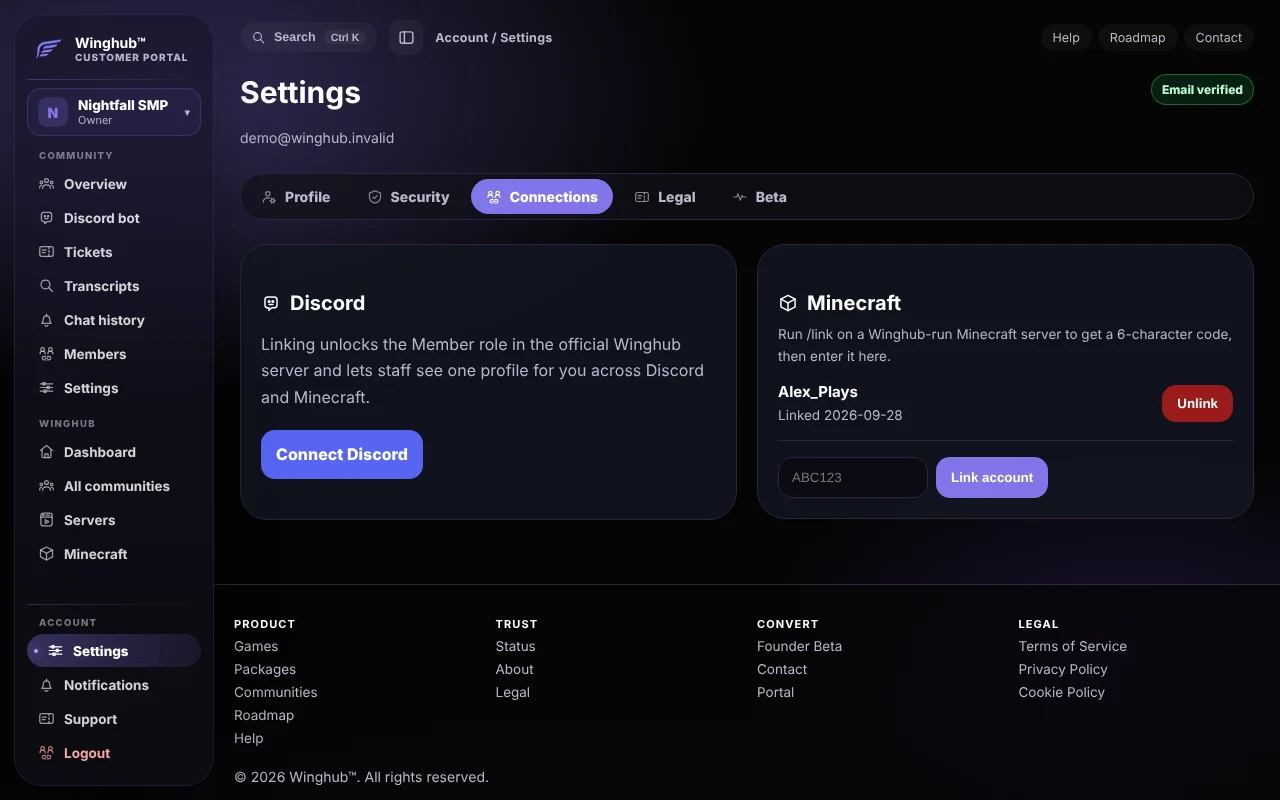
Settings, Connections. Recorded from the Portal with sample data.
   Minecraft player  ----link---->  Winghub account  <----link----  Discord member
   (UUID)                           (one person)                    (Discord ID)
Why link
- One profile. Staff see the player's Minecraft identity, Discord identity and full punishment history on one page.
- Bans that reach Discord. A Global ban can also apply in your Discord server (when you switch that on).
- Whitelist rules. Your policy can require a Discord link before whitelisting, or remove the whitelist when a member leaves Discord.
Without a link, punishments simply stay in Minecraft. Nothing breaks.
For players: link yourself with /link
Any player with a Winghub account can do this. They do not need a license.
- Join a Minecraft server that runs the Winghub plugin.
- Type
/linkin chat. The server replies with a 6-character code, for exampleK7PQ2M. - Sign in to the Portal and open Settings, then Connections.
- In the Minecraft section, type the code and click Link account.
- You see "Your Minecraft account is linked."
Good to know:
- A code lasts 10 minutes. Typing
/linkagain within that time gives the same code, not a new one. - Codes never use 0, O, 1 or I, so they are easy to read out.
- An expired or wrong code shows "That code is unknown or expired. Run /link in game for a new one and enter it within 30 minutes."
- If the server is not connected to Winghub,
/linkanswers "This server is not connected to Winghub yet."
To also connect Discord, click Connect Discord on the same Connections page. Both links are needed before a ban can follow a player into Discord.
On a Winghub-hosted server: /link in Discord
A server hosted by Winghub runs Winghub Link instead of the plugin, and /link works the other way round: it connects the Minecraft account straight to the player's Discord account in the community's Discord server.
- In game, type
/link. You get a code (click it to copy). - In the community's Discord, type
/link CODE(the Integration Bot's command). - The bot answers "Linked" with your Minecraft name.
Or enter the same code in the Portal (since V0.217.1): Settings, Connections, Minecraft, then Link account. This needs your Discord account linked first (same page), and you must be in the community: a member, or in its Discord server. The Portal links the Minecraft account to your Discord account, exactly as /link CODE in Discord does.
- The Minecraft section lists accounts linked through Discord too, marked "through Discord".
- If the Portal says the server could not be asked, the game node did not answer: try again in a minute, or use
/link CODEin Discord. - A code lasts 30 minutes. When Who can join is set to members with a Discord role, the code is also on the screen a refused player sees.
- One Minecraft account links to one Discord account. A Discord account may link a Java and a Bedrock account.
/unlinkin Discord removes your links.
For staff: link a player by hand
The license holder can link a player in Minecraft, Moderation, section Linked identities:
- Type the Player (username or UUID).
- Type their Discord user ID (17 to 20 digits). In Discord, turn on Developer Mode, then right-click the member and copy their ID.
- Click Link.
The member must have connected Discord to their own Winghub account first. Otherwise you see "That Discord account is not connected to a Winghub account yet."
The table lists each linked player, their Discord (or "no Discord"), and an Unlink button. The Portal never shows a member's email address here.
Unlinking
- A player can unlink in Settings, Connections, Minecraft, with Unlink. An account linked through Discord is unlinked with
/unlinkin that Discord. - The license holder can unlink in Moderation, Linked identities, with Unlink.
Unlinking does not lift any punishment. It only stops future punishments from reaching Discord for that member.
Links are per license
A link is stored for the license of the server where the player ran /link. If a player plays on two different communities' servers, each one has its own link.
Is there role or rank sync with Minecraft?
With the Winghub plugin: no. It does not change permissions or ranks on your Minecraft server.
On a Winghub-hosted server, Winghub Link can use Discord roles of linked players: for Who can join, for which /wh commands a player may use, and for protections (World tab). It does not write ranks into other permission plugins. See Permissions and protections.
On the Discord side, the Role Sync module gives a Discord role to members who linked their Winghub account, and a role per license tier. See Role Sync.
Last updated: 11/27/2026, 8:42:43 PM